
Run ShopOps on your existing iPad, Android tablet, computer or phone. You don’t need to buy new hardware to get started.
Restaurant POS · English + Chinese
One POS for orders, kitchen and checkout.
A bilingual restaurant POS for independent UK restaurants — QR ordering, staff ordering, live kitchen screens and offline backup in one system.
Book a demo & free trial setupIs this you? See the daily challenges small restaurant owners face →30-day free trial · No card needed for the trial · We set up your menu for you
From order to checkout
 1
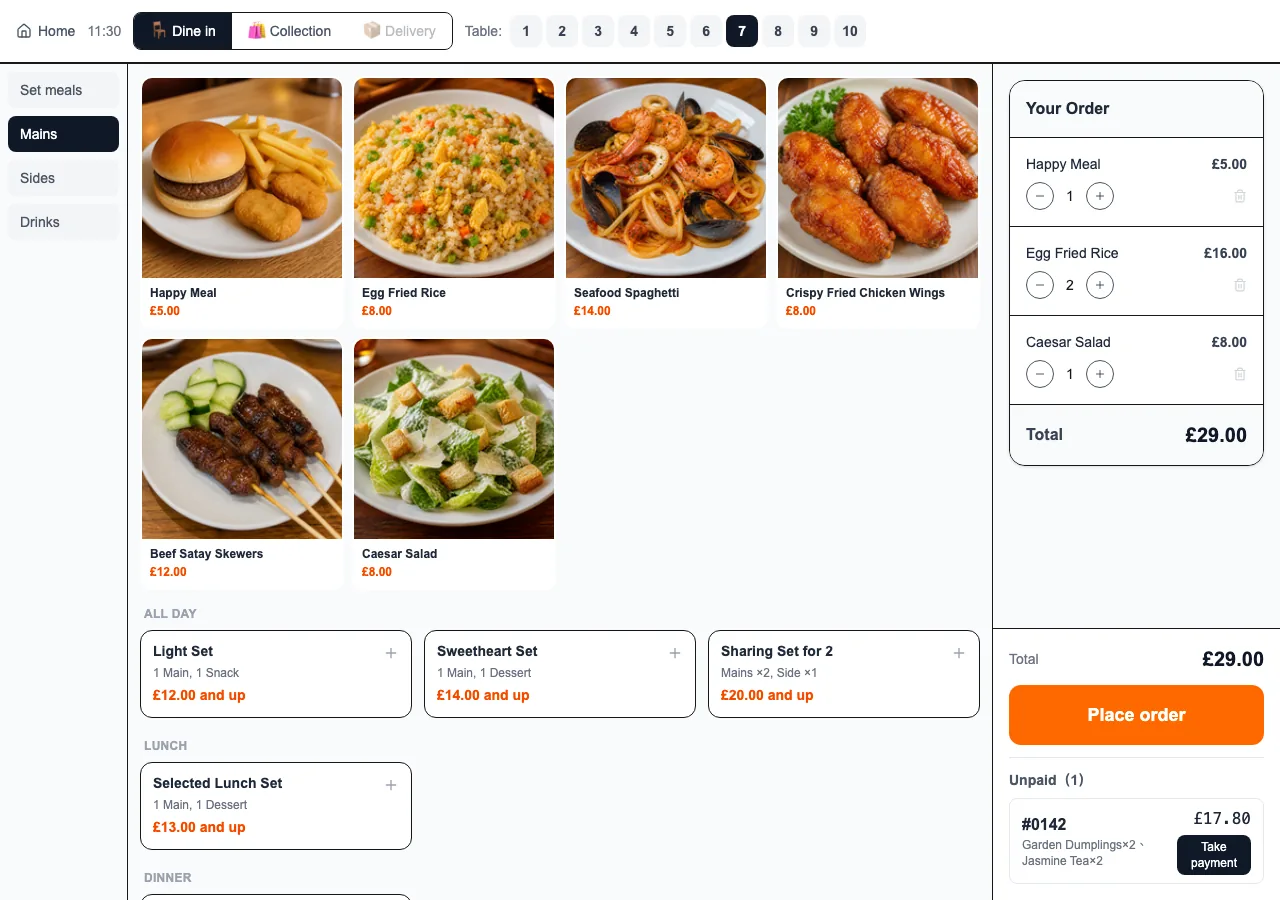
1Customer QR or staff order
 2
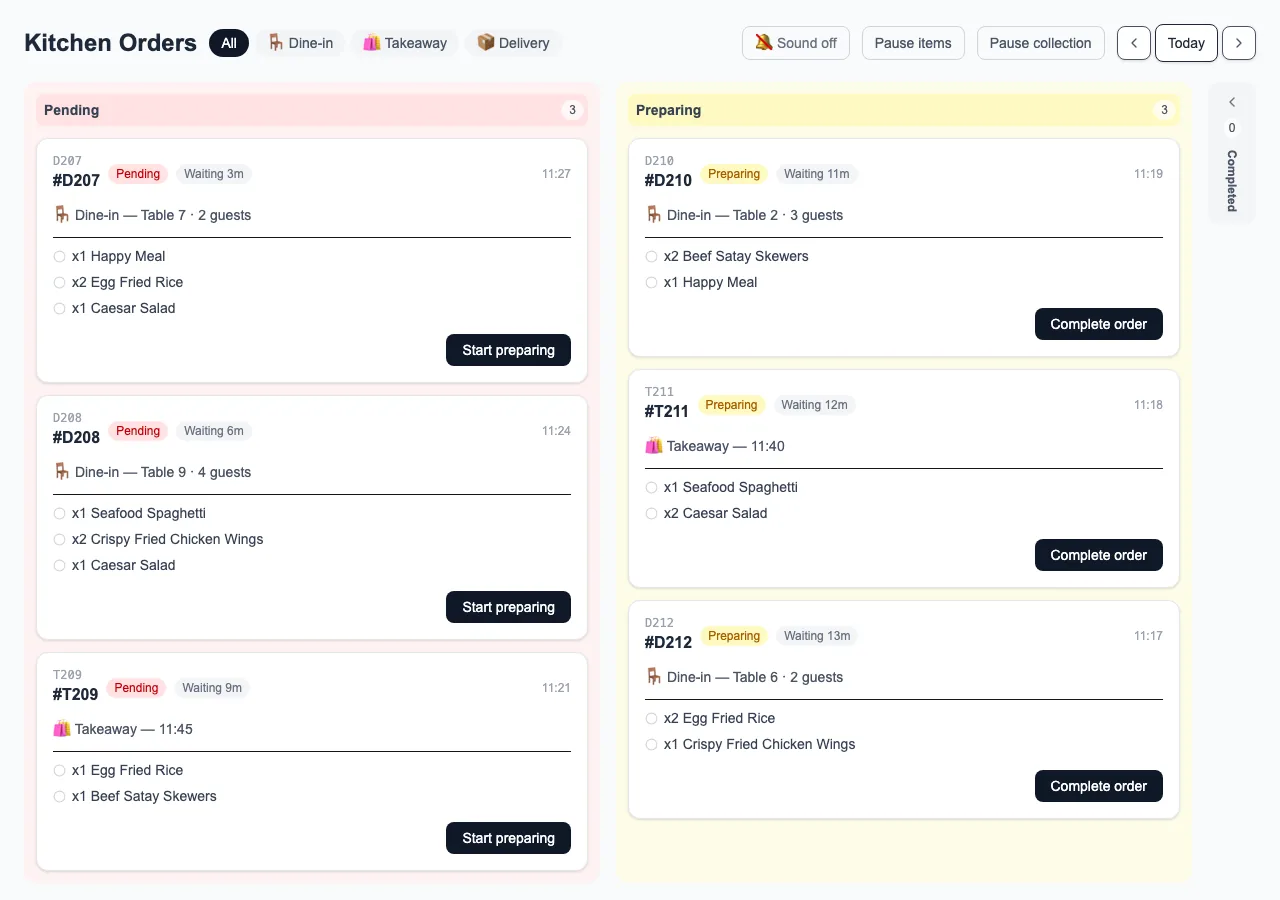
2Kitchen receives the order
 3
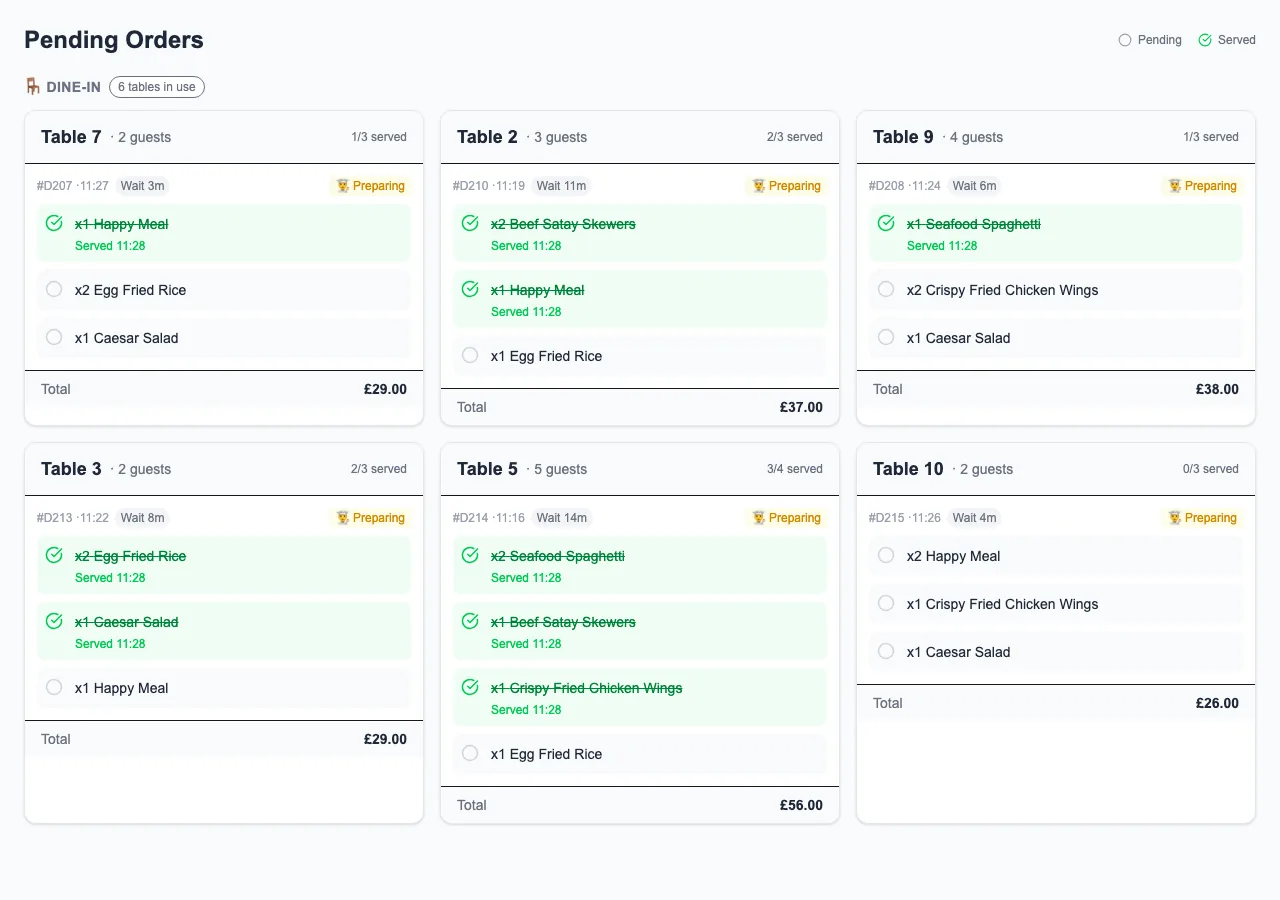
3Front of house tracks progress
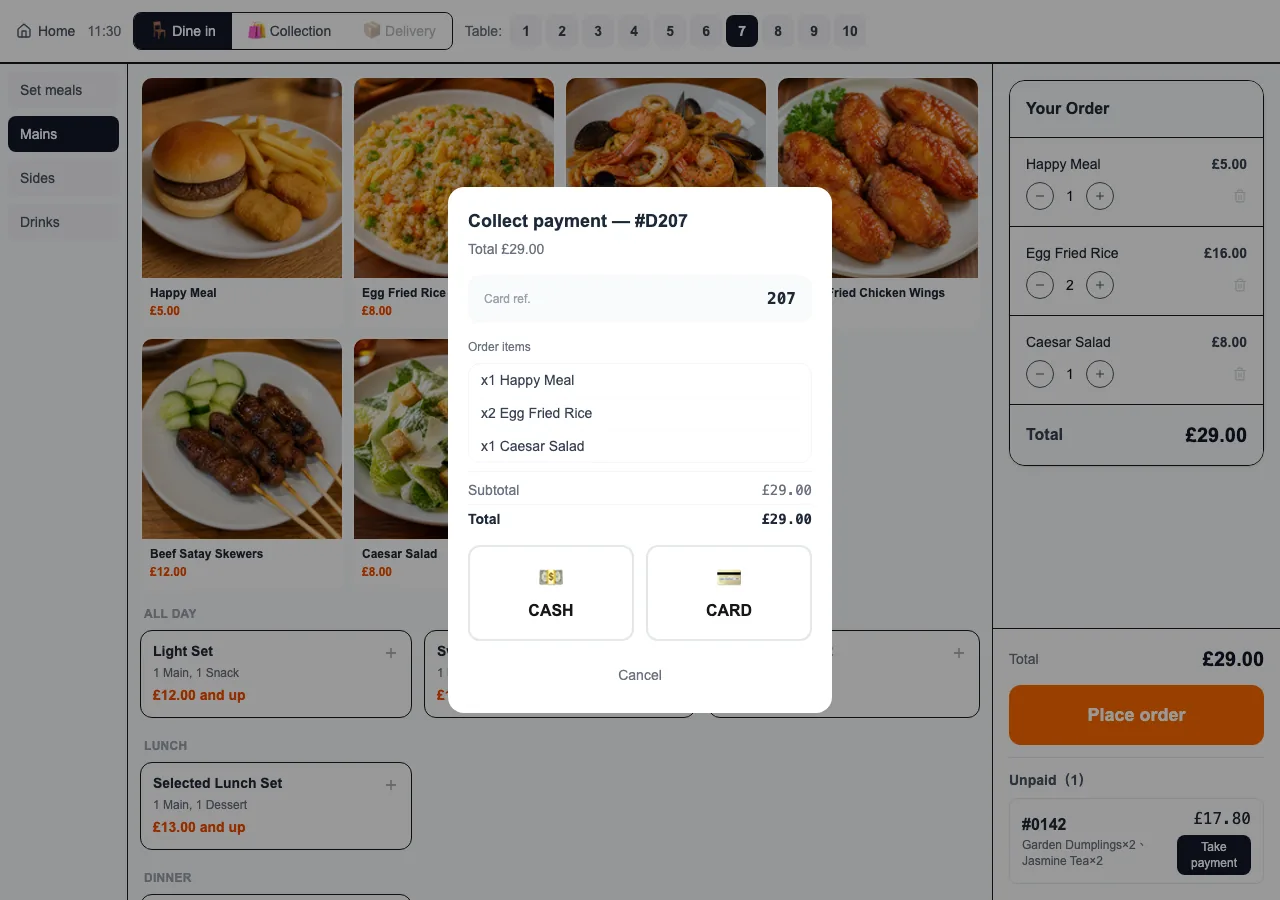 4
4Checkout and reporting
One clear order journey
Take the order
Accept customer QR orders or let staff enter an order at the POS.
Send it to the kitchen
The kitchen screen gives the kitchen the order to work from.
Keep the floor informed
Front-of-house can follow the order's progress.
Finish at checkout
Bring the order through checkout and reporting.
For the ways your restaurant takes orders
Use ShopOps for dine-in, takeaway, delivery and pre-orders, including multi-site setups, with the configuration discussed around your restaurant's own workflow.
Core POS features
The essentials for taking orders, running the kitchen and checking out.
QR and staff ordering
Take customer QR orders or let staff enter orders through the POS.
Kitchen screen
Give the kitchen a clear view of the orders it needs to prepare.
Dine-in, takeaway and pre-orders
Keep the supported order types in one POS workflow.
Checkout controls
Handle checkout, discounts, refunds and end-of-day cash-up.
Offline backup
Keep taking orders with the bounded offline backup when the internet goes down.
Menu and availability
Manage the menu and mark items unavailable from the back office.
English and Chinese, where each team needs it
A customer can order in English while floor and kitchen staff view the same order in Chinese, with each person using the language that suits them.
Use what you already have — or choose a ready-to-use setup
Need a complete till setup? Receipt printers and till hardware are also available separately. We configure everything before delivery — simply connect to Wi-Fi when it arrives and start using it.
Optional modules can be discussed around your restaurant
The monthly POS plan focuses on ordering, kitchen and checkout. We will confirm what is included in your quote before you begin a trial.
Cut delivery commission
Estimate annual platform commission on the direct-order share
Enter the turnover you could move to your own ordering and the rate in your current contract to estimate that portion's annual platform commission.
£8,000
27%
Set this to the rate in your current platform contract
Estimated annual platform commission on this portion
£25,920/year
This estimate uses the turnover and rate you enter, and excludes all other fees.
Estimate only, based on the amount and rate you enter; actual platform fees depend on each contract and on how much business you can move to your own ordering. No ShopOps commission applies to orders placed through your own ShopOps ordering channels. Card-processing fees remain separate.
A guided demo, trial and activation
- 1
Book a demo
Choose a time to see how ShopOps could fit your restaurant.
- 2
We understand your workflow
ShopOps first learns how your restaurant takes and manages orders.
- 3
We set up your menu
ShopOps enters your menu and configures the system with you.
- 4
Try it for 30 days
The free trial needs no card and has no automatic charge.
- 5
Choose whether to continue
Only then do you provide full restaurant, contact and payment details.
- 6
Your first 2 months are free
New restaurants pay nothing on activation. Your first monthly payment falls on the same date 2 months after you activate — activate on 1 March and your first payment is due on 1 May. Where that date does not exist in a month, payment falls on the last day of that month and returns to your usual date afterwards. Billing then continues monthly.
Pricing
A clear monthly POS plan, with optional add-ons
Start with the core POS plan, then add only the extra tools your restaurant needs.
A guided demo, trial and activation
Core POS
£8/month
Included
- Ordering POS
- Front-of-house and kitchen translation
- Discounts
Optional add-ons
All add-ons require the Core POS plan.
Choose any add-on individually. Each item is charged separately.
Each add-on
+£4/month
- Rota and clock-in+£4/month
- Reservations+£4/month
- Customer reviews+£4/month
- Food-safety records+£4/month
- Allergen recognition+£4/month
- Recipe costing+£4/month
- Custom domain+£4/month
- Advertising screen+£4/month
Each add-on
+£8/month
- Online delivery orders+£8/month
- Finance and inventory+£8/month
Book a demo & free trial setup
No VAT added. ShopOps is not currently VAT registered, so the price shown is the total monthly subscription price.
This promotional pricing and the first 2 free months are for new restaurants that activate on or before 31 December 2026. Get a quote during the promotion and it still applies when you activate within the quote's 30-day validity period. After the promotion, standard pricing applies to new restaurants.
ShopOps can record card payments. Take payment on your own card terminal; your terminal provider's fees remain separate.
FAQ
No. ShopOps works on iPad, Android tablets, computers and mobile phones. We can also provide separately sold, pre-configured till hardware and receipt printers; we will confirm compatibility for your existing peripherals separately. Need a complete till setup? Receipt printers and till hardware are also available separately. We configure everything before delivery — simply connect to Wi-Fi when it arrives and start using it.
Book a demo and free trial setup
ShopOps first learns how your restaurant takes and manages orders. ShopOps enters your menu and configures the system with you. The free trial needs no card and has no automatic charge.
30-day free trial · No card needed for the trial · We set up your menu for you
We will discuss your restaurant workflow before setting up the trial.